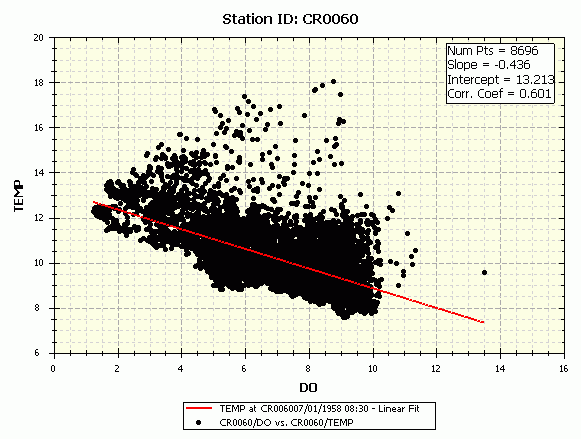
WRDB Graph can display a scatter plot in which data observed at the same time (or nearly so) can be compared in an X-Y plot:
Observed data are rarely collected or obtained at many locations at the exact same time, therefore the concept of time window. By selecting the desired date-time and time window, you are specifying the range of date-times queried for display. For example, suppose the time window is 1 day. That means that all data observed within one day of each other are paired up.
You can set the time window for individual series using the Manage Series form, and they need not be the same. Do this by selecting the first Station ID and PCode of interest then click an Add to Axis button. Initially the Station ID and PCode for the X and Y axes are set to the same values. After the series has been added, the Station ID and/or PCode to be assigned to the Y axis can be selected, and the time window can be selected from the list of available values.
If you set the time window using the main menu or toolbar, all series will be reset to the same time window.
After you display the scatter plot, you may want to perform a least-squares fit to the data and display the results; see Calculated Series and Displaying Statistics.