First-time Installation
Here is the step-by-step procedure for the first time you install WRDB.
-
Download the installation file from http://www.wrdb.com
and place it in a temporary location.
- Run the installation program; if you already have
BASINS installed, you can choose to install the WRDB plug-in as well.
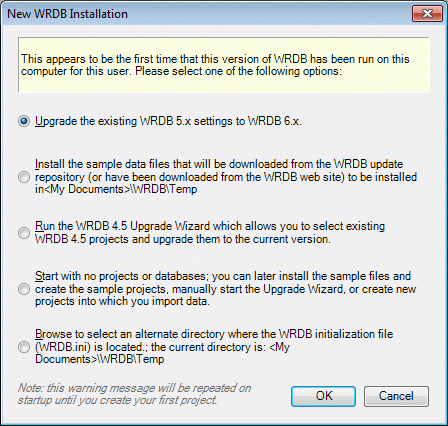
- You can now run the WRDB program for the first
time. The program recognizes that this is a first-time run by virtue
of the fact that no WRDB.ini file is found in the <My
Documents>\WRDB folder. Note that this warning may also
occur if you login to your computer as a new user--each user on a
computer has his own WRDB projects. The following form appears: